
💡 Info
Please Note: we currently only support Snowflake Data Shares in the AWS us-east-1 and AWS us-west-2 regions. If your account lives in a different Cloud (Google Cloud, Microsoft Azure) or Cloud Region (AWS ap-southeast-1), please reach out to our team about potential solutions.
Finding Your Snowflake Account Information
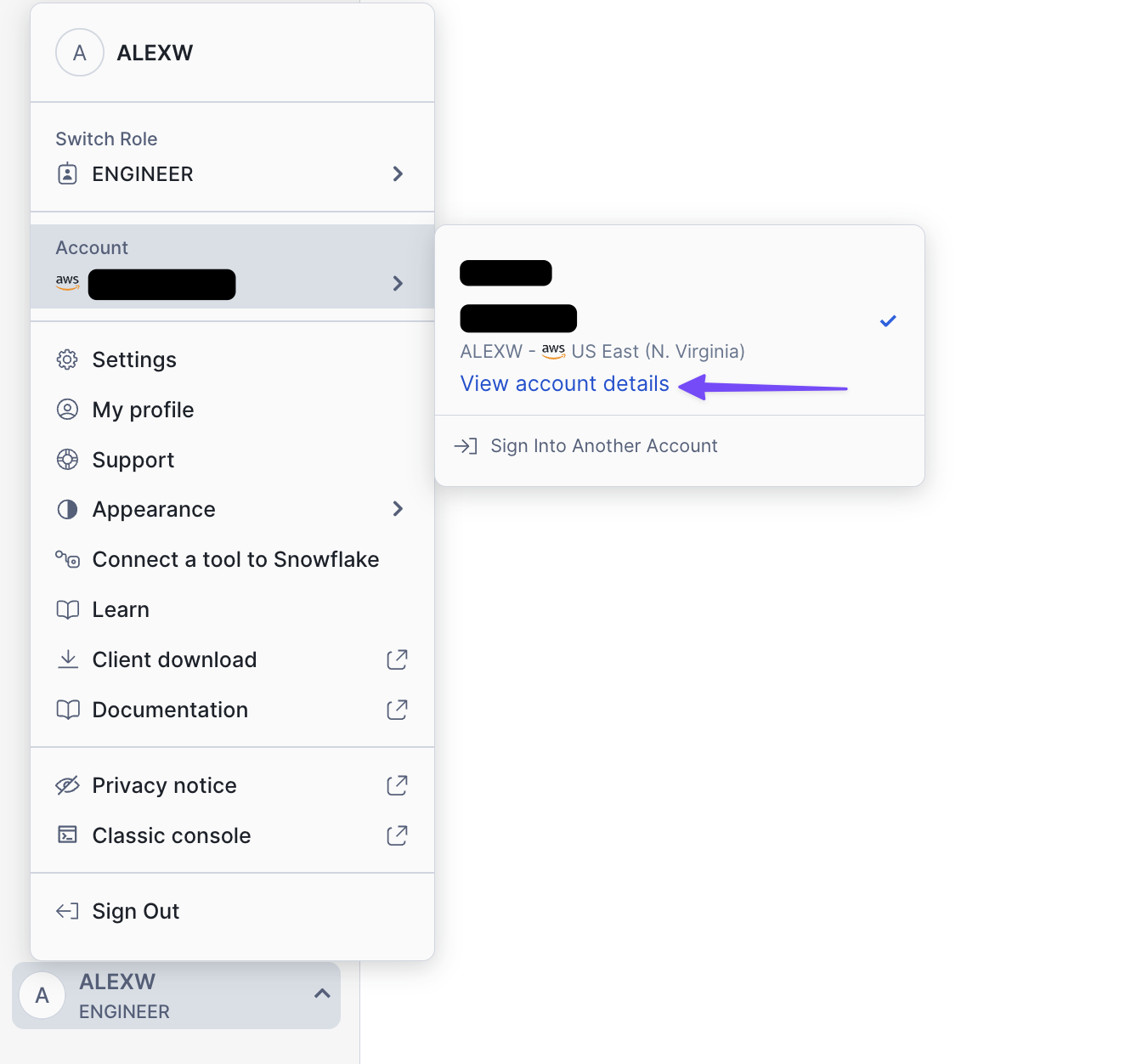
- Find the ‘View account details’ button
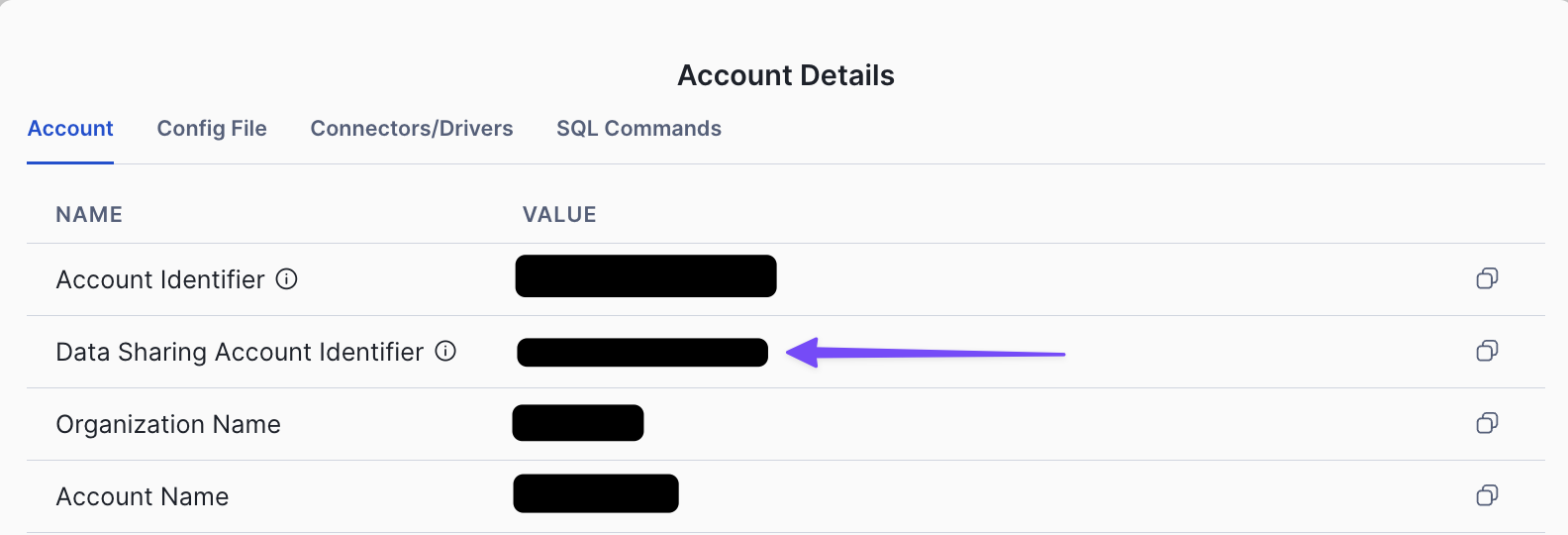
- Find ‘Data Sharing Account Identifier’
Accessing the Data
Navigate toData Sharing -> External Sharing -> Shared With You. You should see the share ART_ENTERPRISE visible after you have shared your Snowflake identity with us.
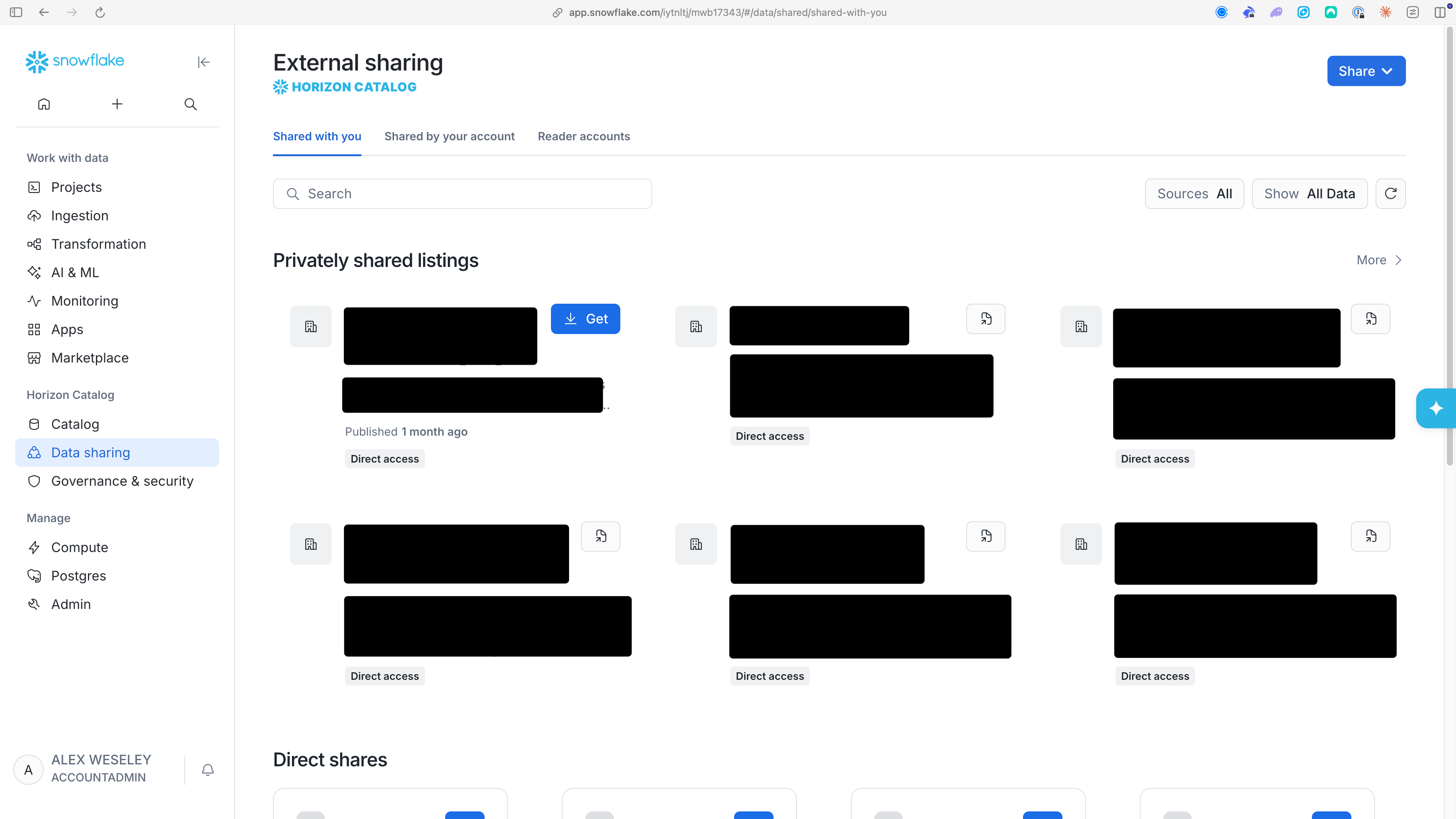
ACCOUNTADMIN role can perform data sharing tasks (such as accepting a share from Artemis). Please see these docs from Snowflake for more details and reach out to your internal Snowflake admin to obtain the necessary permissions.