
Installing the Artemis Plug-in on Google Sheets
- Install the plug-in from the Google Workspace Marketplace (step-by-step instructions)
- Create a new spreadsheet
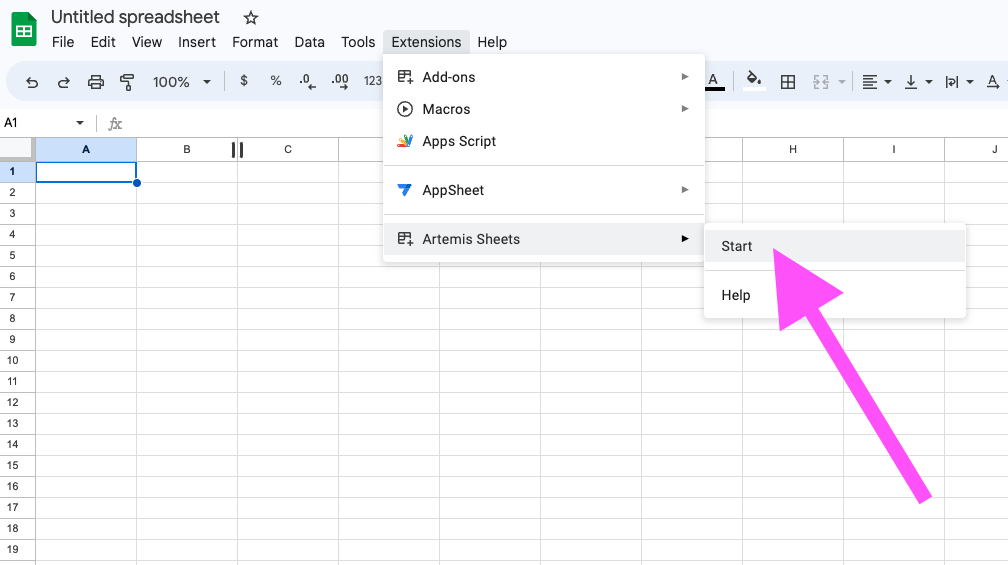
- Start the plug-in by navigating to Extensions -> Artemis Sheets -> Start
Usage
- Create a new spreadsheet
- Start the plug-in by navigating to Extensions -> Artemis Sheets -> Start
The Artemis Sheet plugin must be started this way for EVERY new sheet for security purposes - In any cell, type
=ART("ETH", "PRICE") - Congrats! You’re now using the Artemis Sheets plugin.
- Checkout more ways to use Artemis Sheets at the Syntax and Formulas page or check out our Templates.
Installing the Artemis Plug-in on Windows Excel desktop
💡 Info
Supported on all version of Excel from Office 2016 or later.
💡 Info
Supported on all version of Excel from Office 2016 or later.
- Install the plug-in using the Installer (step-by-step instructions)
- Sometimes, Window Defender will flag the plug-in as an Unrecognized App. If this is the case, select More Info -> Run anyway
- Select Artemis Sheets from the Ribbon Menu
- You’re ready to get started with your first =ART() formula! See syntax-and-formulas for sample formulas or click “Insert sample formulas” to write your first formula.
Installing the Artemis Plug-in on Mac/Windows Excel
💡 Info
In order to use the Artemis Windows/Excel Mac plugin, you must have a Microsoft 365 subscription. Microsoft does not offer plug-in support for standalone Office for Mac purchases such as Office for Mac 2019.You can check which version of Excel you have by navigating to Excel -> About Microsoft Excel -> License
💡 Info
In order to use the Artemis Windows/Excel Mac plugin, you must have a Microsoft 365 subscription. Microsoft does not offer plug-in support for standalone Office for Mac purchases such as Office for Mac 2019.You can check which version of Excel you have by navigating to Excel -> About Microsoft Excel -> License
- Install the plug-in from the Office Store (step-by-step instructions)
- Select Artemis Sheets from the Ribbon Menu and then select Show Taskpane
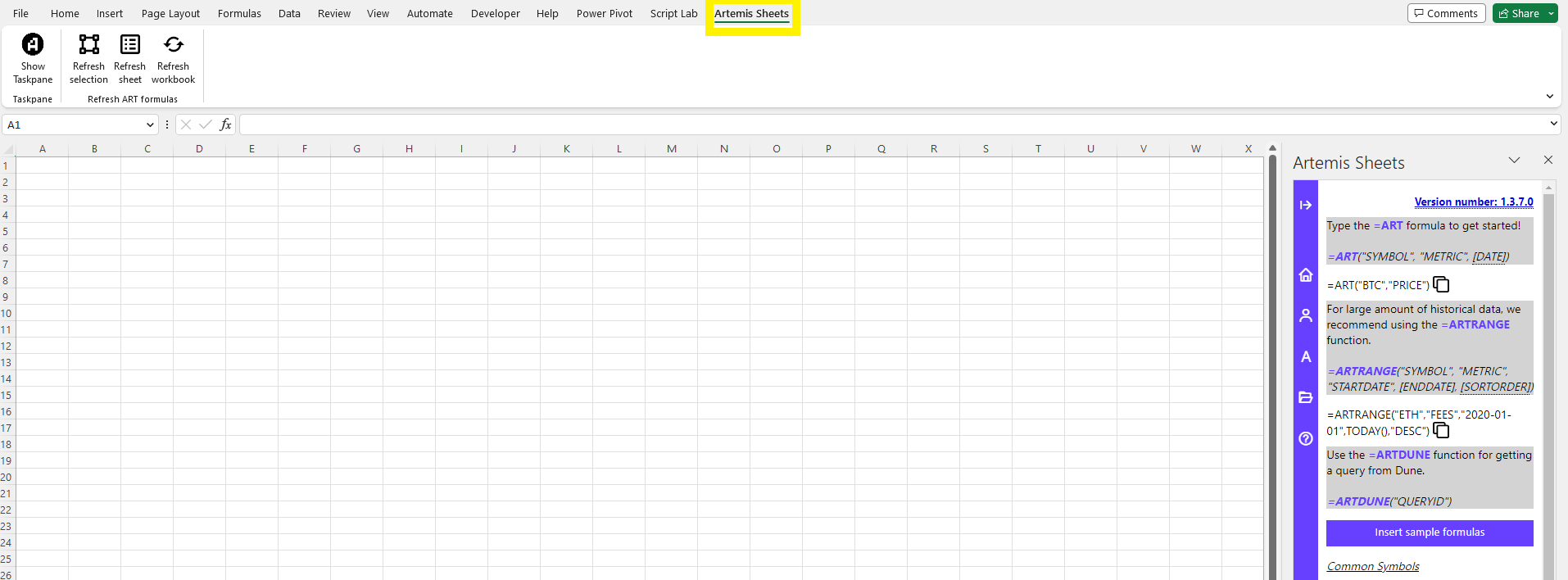
- You’re ready to get started with your first =ART() formula!