💡 Info
**Interested in data from the** [**Blockchain Activity Monitor?**](https://classic.artemis.ai/application-activity) Given the size of this dataset, it is currently not possible for us to serve this through a REST API.
Instead, we have a private Snowflake share that allows you to access this data directly in your own Snowflake cluster.
**Please Note: we currently only support Snowflake Data Shares in the AWS us-east-1 and AWS us-west-2 regions.** If your account lives in a different Cloud (Google Cloud, Microsoft Azure) or Cloud Region (AWS ap-southeast-1), please reach out to our team about potential solutions.
### Finding Your Snowflake Account Information
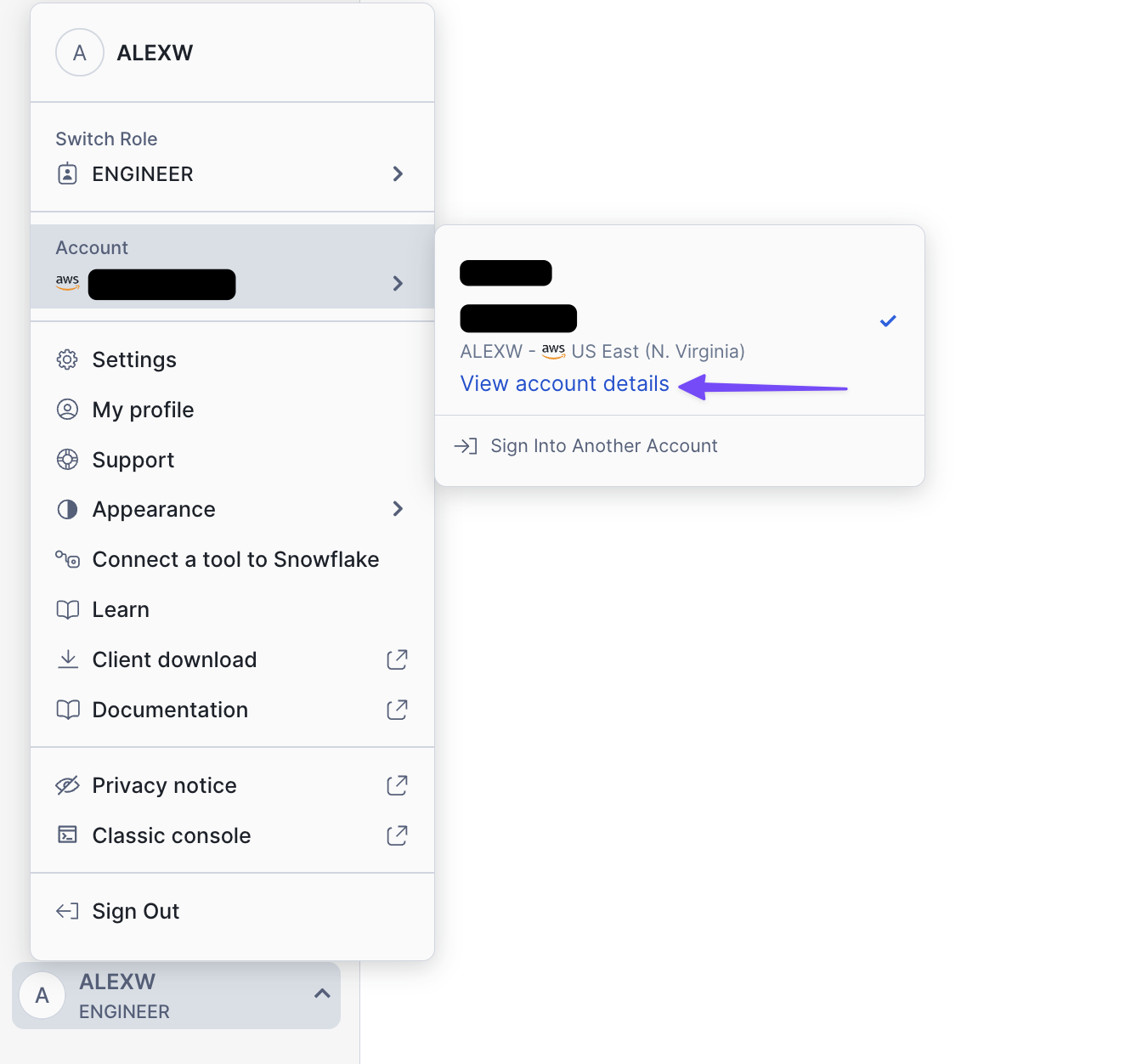
1. Find the 'View account details' button
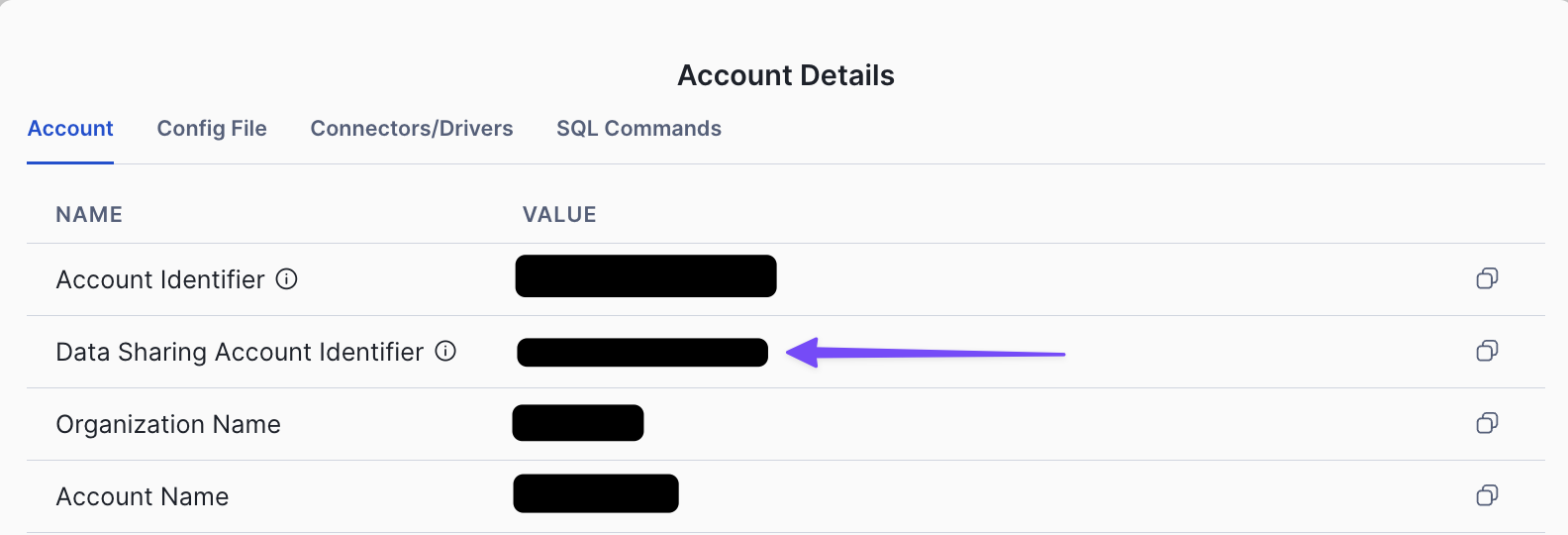
 2. Find 'Data Sharing Account Identifier'
 Once you've found your Snowflake identity, [please let us know your details](mailto:support@artemisanalytics.xyz) so that we can privately share the data with you.
### Accessing the Data
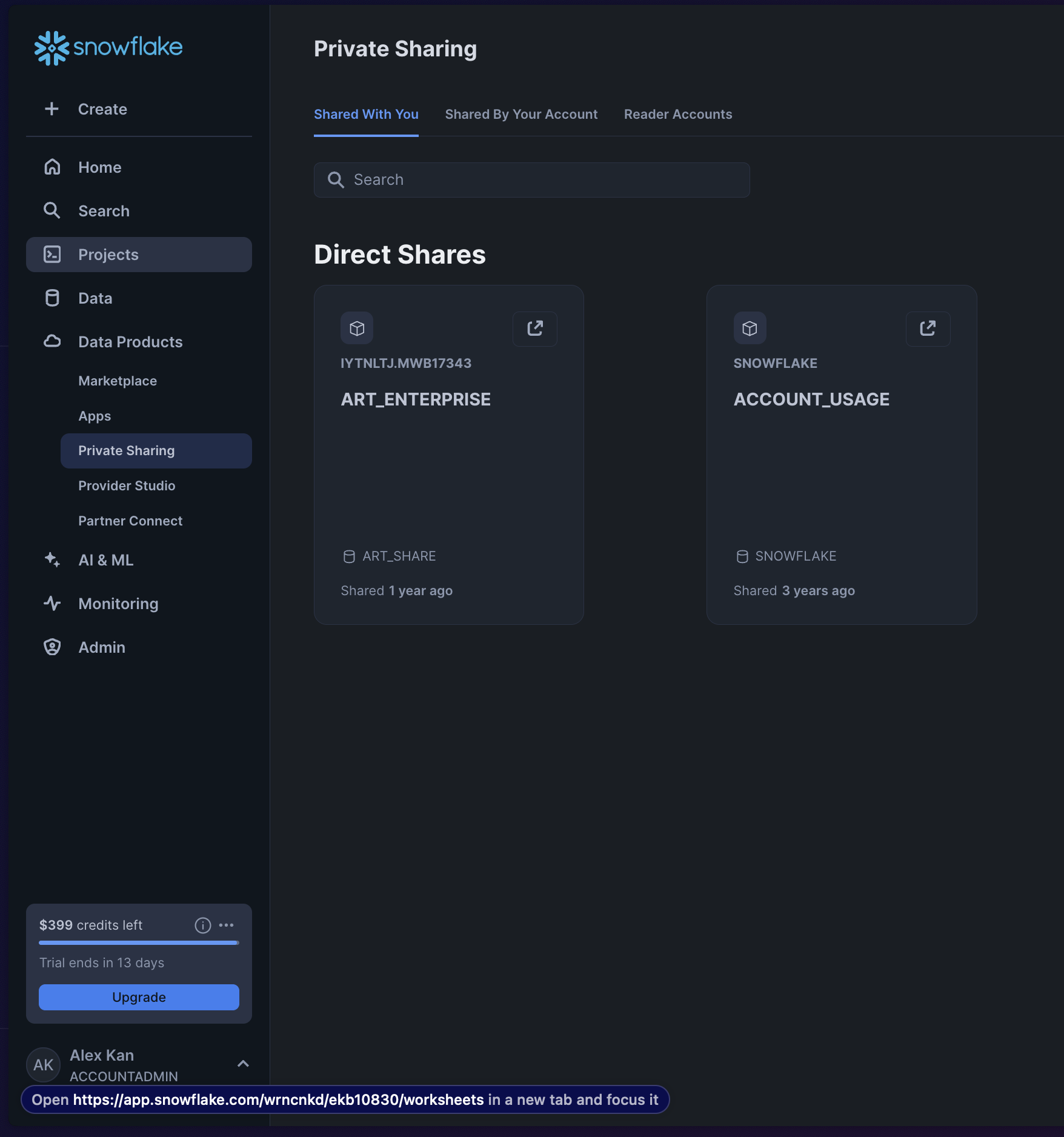
Navigate to `Data Products` -> `Private Sharing` -> `Shared With You`. You should see the share `ART_ENTERPRISE` visible like below after you have shared your Snowflake identity with us.
Once you've found your Snowflake identity, [please let us know your details](mailto:support@artemisanalytics.xyz) so that we can privately share the data with you.
### Accessing the Data
Navigate to `Data Products` -> `Private Sharing` -> `Shared With You`. You should see the share `ART_ENTERPRISE` visible like below after you have shared your Snowflake identity with us.
 By default, only Snowflake users with the `ACCOUNTADMIN` role can perform data sharing tasks (such as accepting a share from Artemis).
Please see these [docs](https://docs.snowflake.com/en/user-guide/data-share-consumers) from Snowflake for more details
and reach out to your internal Snowflake admin to obtain the necessary permissions.
By default, only Snowflake users with the `ACCOUNTADMIN` role can perform data sharing tasks (such as accepting a share from Artemis).
Please see these [docs](https://docs.snowflake.com/en/user-guide/data-share-consumers) from Snowflake for more details
and reach out to your internal Snowflake admin to obtain the necessary permissions.