> ## Documentation Index
> Fetch the complete documentation index at: https://artemis.ai/docs/llms.txt
> Use this file to discover all available pages before exploring further.
# Token Unlocks
> Pulling data programmatically from TokenUnlocks directly to Excel/GSheets
Artemis Sheets allow you to pull token unlock data programmatically from [TokenUnlocks](https://token.unlocks.app/) directly into Excel / GSheets.
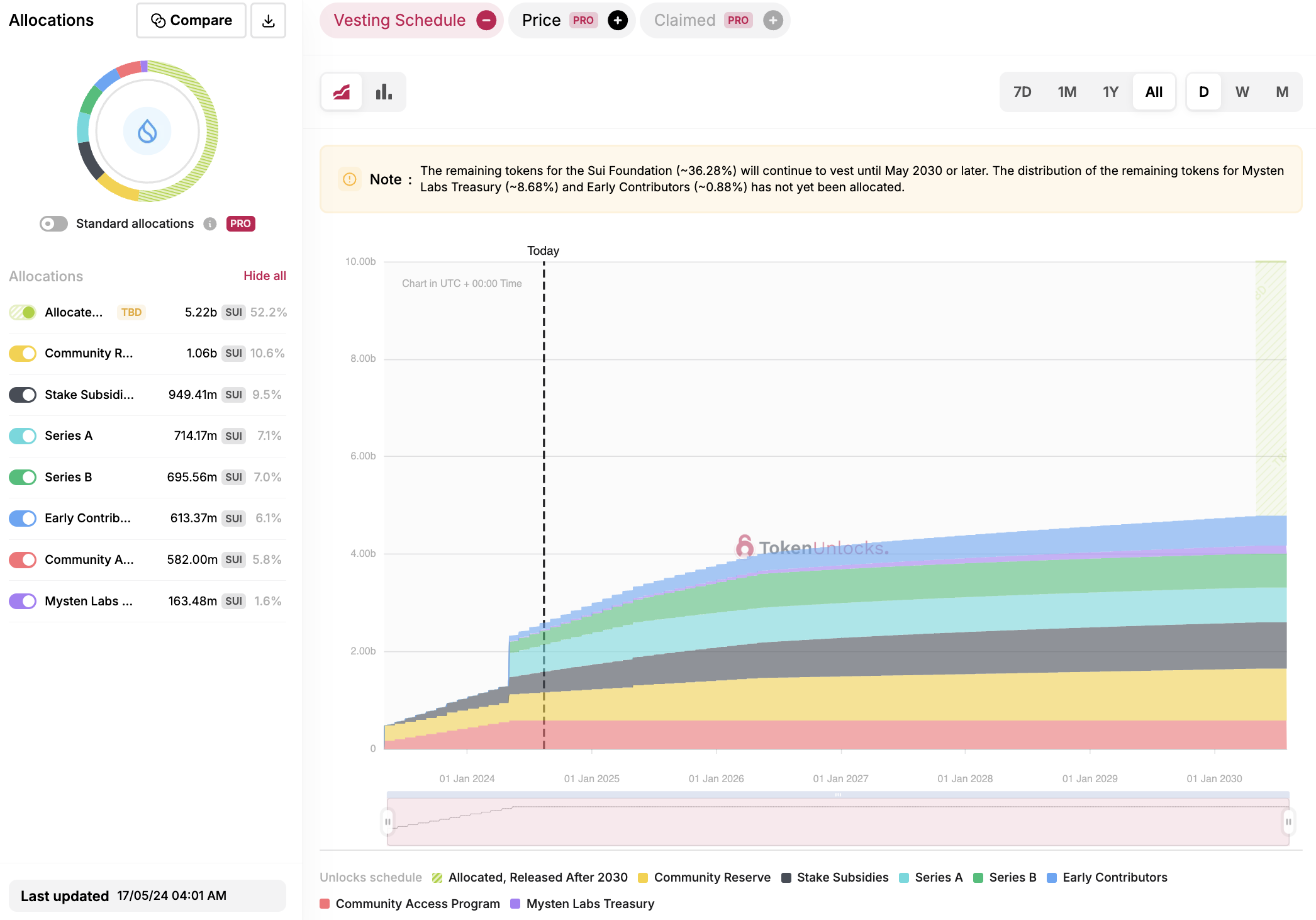
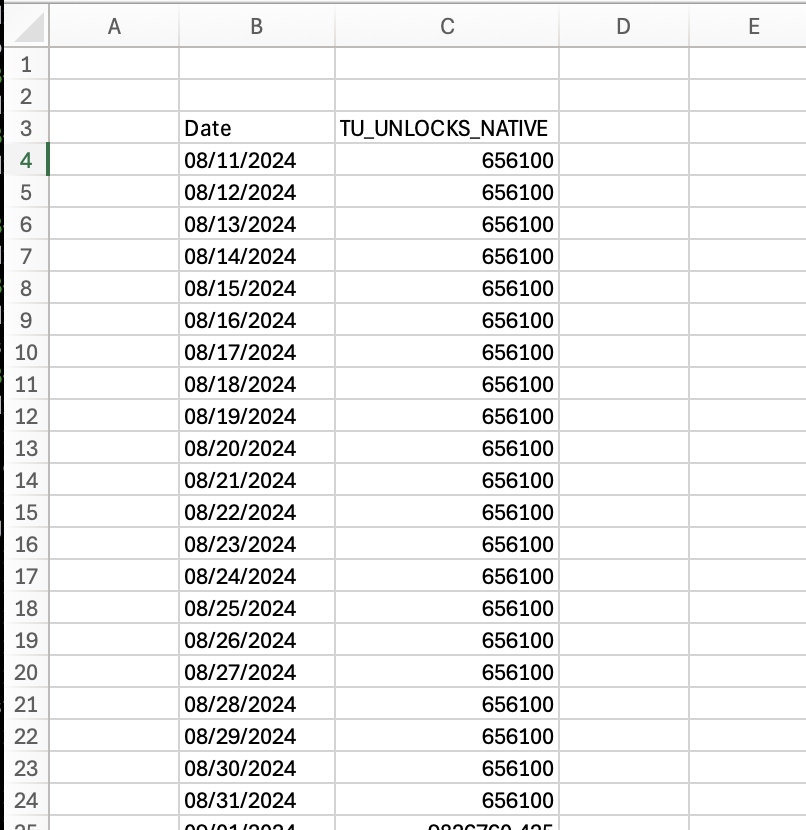 **Note:** The data is provided to us by the TokenUnlocks API and aggregated weekly. We smooth it out to daily granularity to better meet the expectations of Artemis Sheets users.
## 1. Setup
## Google Sheets
1. If you haven't already, sign up for a [TokenUnlocks API plan](https://token.unlocks.app/profile) to receive an API key
2. Once you have an API plan you can view your API key in [your profile page](https://token.unlocks.app/profile#my-api-key)
**Note:** The data is provided to us by the TokenUnlocks API and aggregated weekly. We smooth it out to daily granularity to better meet the expectations of Artemis Sheets users.
## 1. Setup
## Google Sheets
1. If you haven't already, sign up for a [TokenUnlocks API plan](https://token.unlocks.app/profile) to receive an API key
2. Once you have an API plan you can view your API key in [your profile page](https://token.unlocks.app/profile#my-api-key)
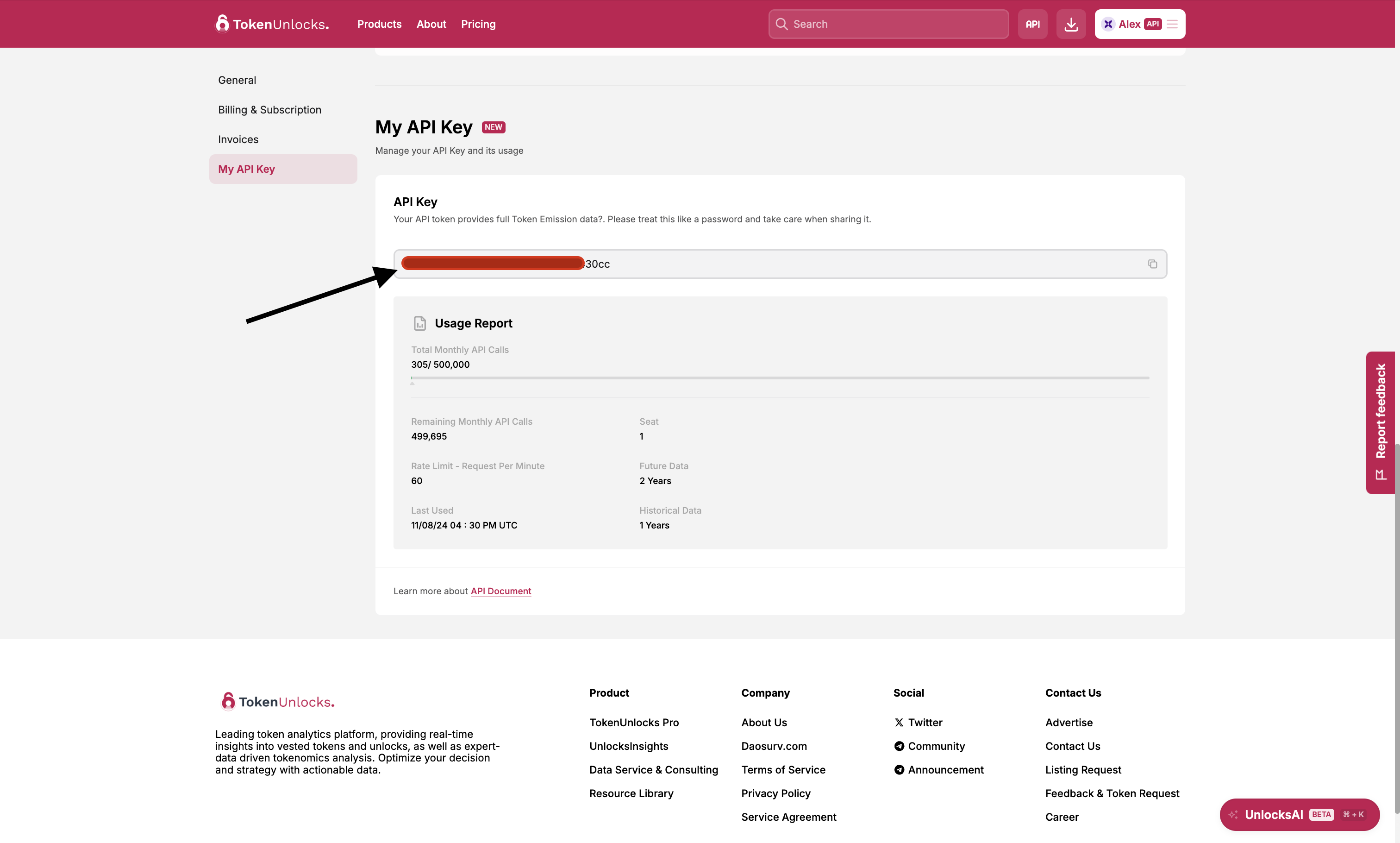 3. Copy the key and head over to your Google Sheets application with Artemis Sheets installed - installation instructions [here](/artemis-sheets/installation-and-usage). Then:
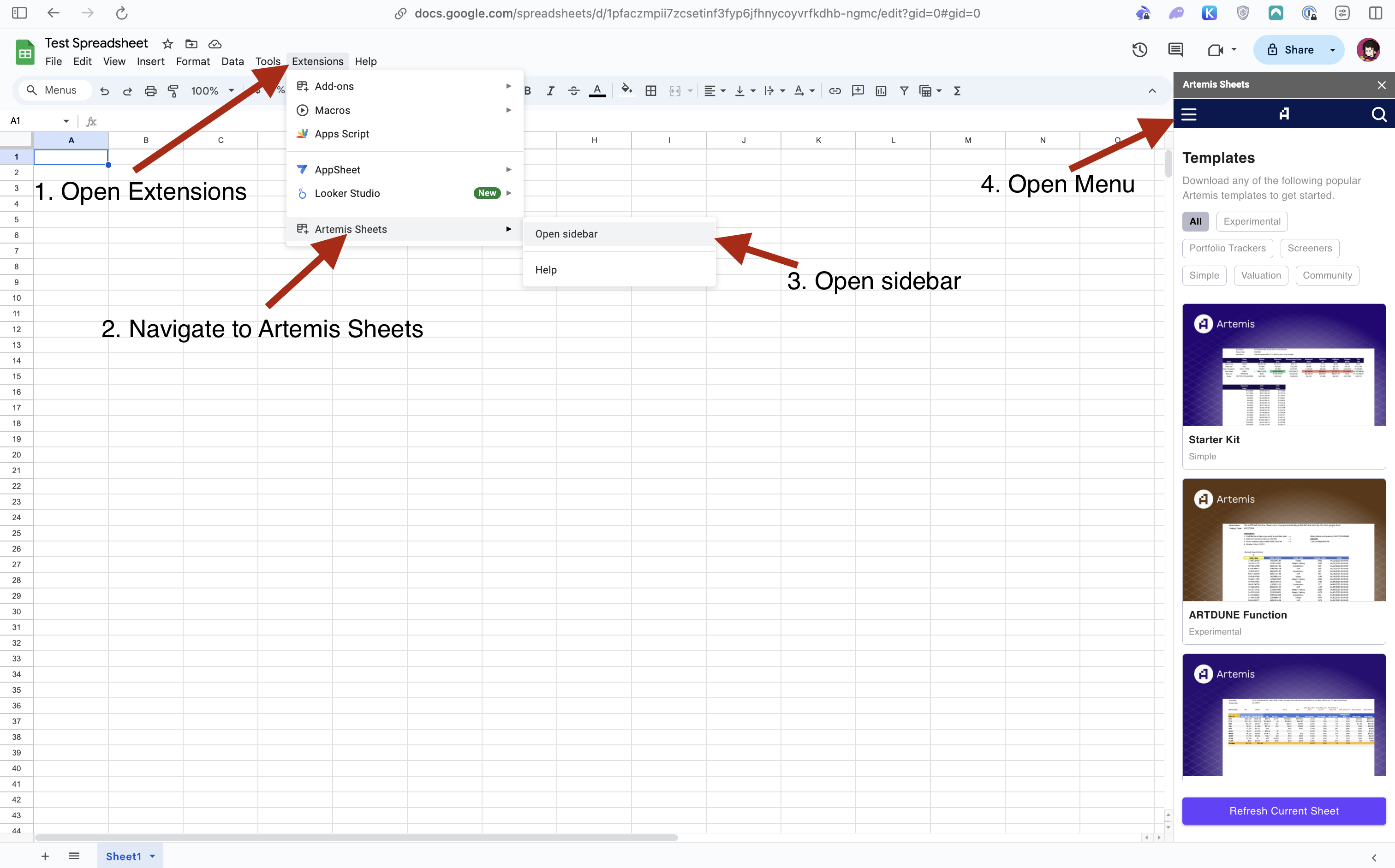
.png?fit=max&auto=format&n=u2ylj6ovlda4p-qx&q=85&s=f718c63e9cf4b2eee42b33e87eeba878) 4. Done! You should now see your masked TokenUnlocks API key listed under your email address.
## Excel (Windows)
1. If you haven't already, sign up for a [TokenUnlocks API plan](https://token.unlocks.app/profile) to receive an API key
2. Once you have an API plan you can view your API key in [your profile page](https://token.unlocks.app/profile#my-api-key)
3. Copy the key and head over to your Excel application with Artemis Sheets installed - installation instructions [here](/artemis-sheets/installation-and-usage) - and click on the "Artemis Sheets" menu bar item. Then:
4. Done! You should now see your masked TokenUnlocks API key listed under your email address.
## Excel (Windows)
1. If you haven't already, sign up for a [TokenUnlocks API plan](https://token.unlocks.app/profile) to receive an API key
2. Once you have an API plan you can view your API key in [your profile page](https://token.unlocks.app/profile#my-api-key)
3. Copy the key and head over to your Excel application with Artemis Sheets installed - installation instructions [here](/artemis-sheets/installation-and-usage) - and click on the "Artemis Sheets" menu bar item. Then:
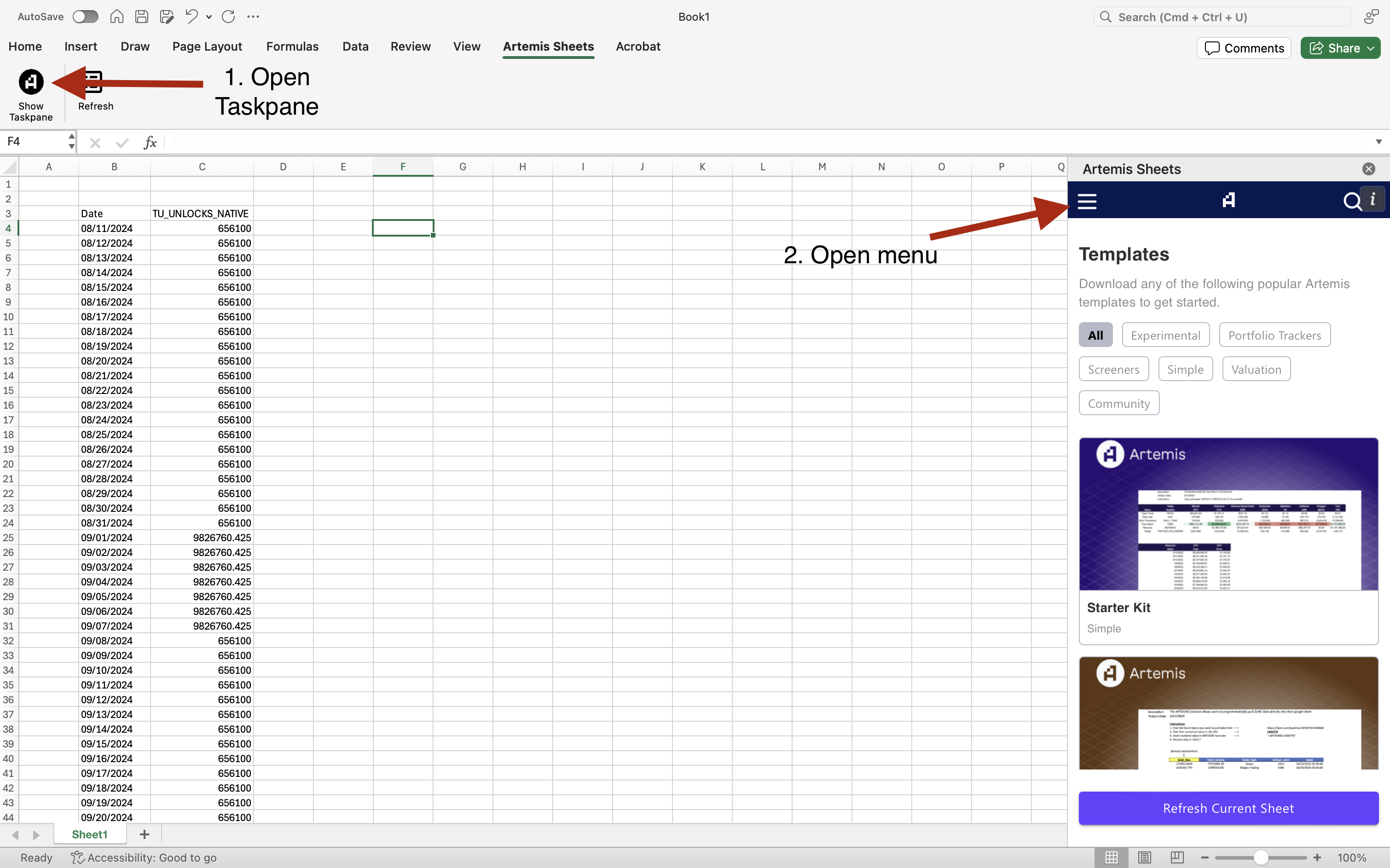
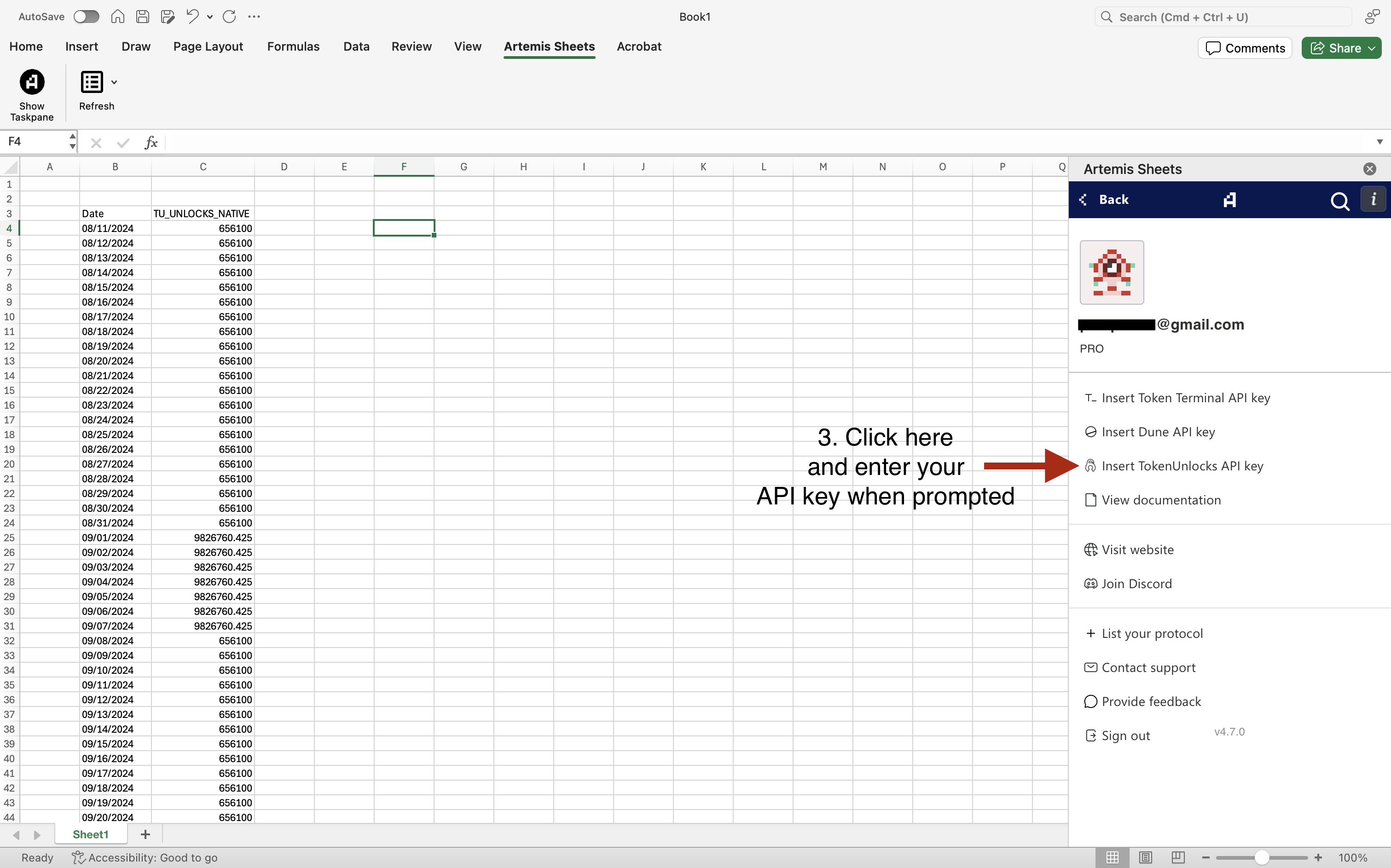 4. Done! You should now see your masked TokenUnlocks API key listed under your email address.
## 2. Usage
Sample formula to retrieve SUI unlocks data from Aug 8th 2024, to Dec 31st, 2025:
`=ART("SUI", "TU_UNLOCKS_NATIVE", "2024-08-11", "2025-12-31", "Asc", "True")`
Follows the structure:
`=ART(Symbol, Metric, StartDate, EndDate, OrderDirection, ShowDates)`
**Metrics Available:**
* `TU_UNLOCKS_NATIVE`: Unlocked amount expressed in the token's native units.
* `TU_UNLOCKS_USD`: Unlocked amount expressed in US dollars.
* Forward looking USD unlock values use the token's price at token genesis.
Note: TokenUnlocks supports 1 year of historical data and 2 years forward looking data. Reach out to the TokenUnlocks team if you need additional data/support.
You may also use the token's Coingecko ID instead of its symbol.
4. Done! You should now see your masked TokenUnlocks API key listed under your email address.
## 2. Usage
Sample formula to retrieve SUI unlocks data from Aug 8th 2024, to Dec 31st, 2025:
`=ART("SUI", "TU_UNLOCKS_NATIVE", "2024-08-11", "2025-12-31", "Asc", "True")`
Follows the structure:
`=ART(Symbol, Metric, StartDate, EndDate, OrderDirection, ShowDates)`
**Metrics Available:**
* `TU_UNLOCKS_NATIVE`: Unlocked amount expressed in the token's native units.
* `TU_UNLOCKS_USD`: Unlocked amount expressed in US dollars.
* Forward looking USD unlock values use the token's price at token genesis.
Note: TokenUnlocks supports 1 year of historical data and 2 years forward looking data. Reach out to the TokenUnlocks team if you need additional data/support.
You may also use the token's Coingecko ID instead of its symbol.