> ## Documentation Index
> Fetch the complete documentation index at: https://artemis.ai/docs/llms.txt
> Use this file to discover all available pages before exploring further.
# Refreshing Data
> How to refresh Artemis Sheets data in Google Sheets and Excel to pull the latest metrics.
## Google Sheets
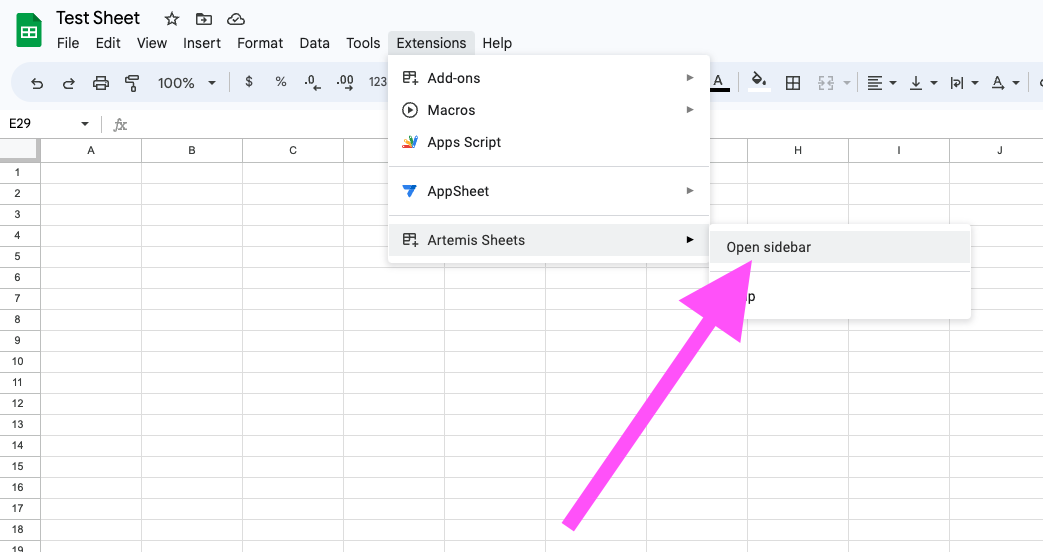
1. Open the Artemis Sheets sidebar in Google Sheets:\\
 2. Click on the "Refresh Current Sheet" button to refresh all `=ART`, `=ARTRANGE()` , and `=ARTDUNE()` functions in the current sheet:\\
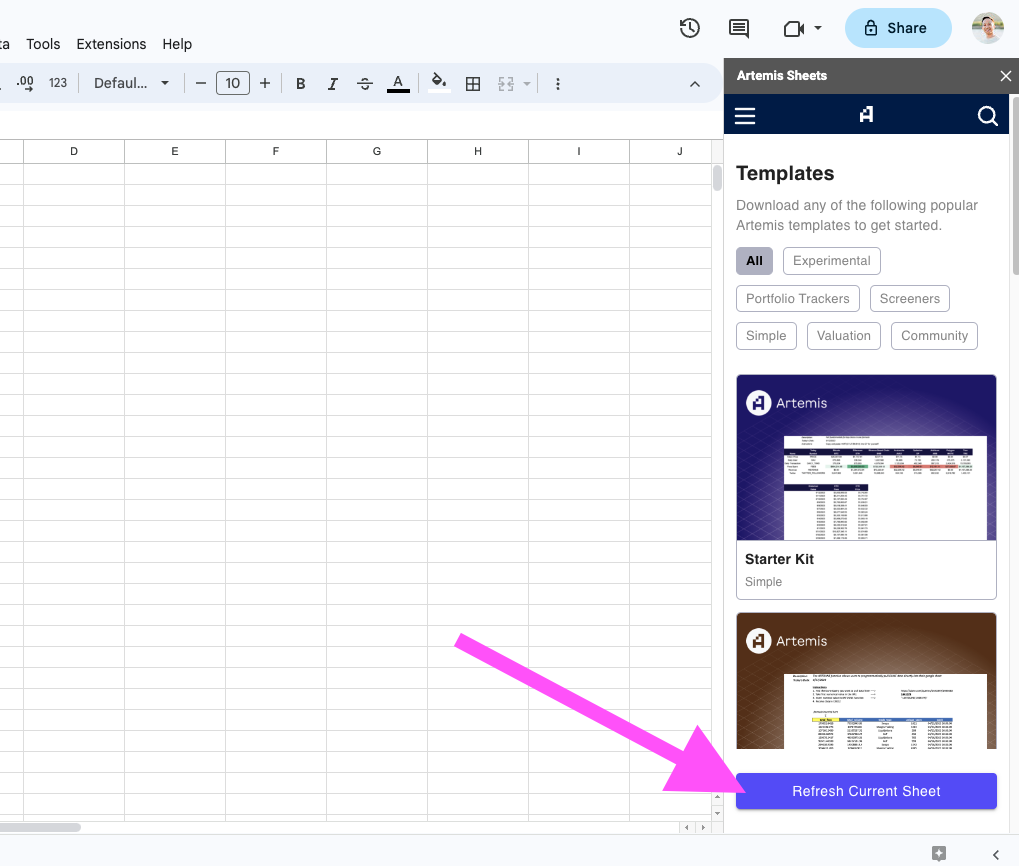 This pulls in the latest data from Artemis servers into your Google Sheet.
## Excel
This pulls in the latest data from Artemis servers into your Google Sheet.
## Excel
.png?fit=max&auto=format&n=NNkNKnlLcFniLQiw&q=85&s=f3fcfeeaa2fae86a7c9212b4bcb9a6bd) Refreshing data in Excel - use the Ribbon menu
Refreshing data in Excel - use the Ribbon menu